3D modeling
3d Modeling
Here are some tools that are quick to pick up:
Blender is installed on our machines — it's complex, but the preferred tool for making 3D objects and animations. (It's open source an free to download, btw).
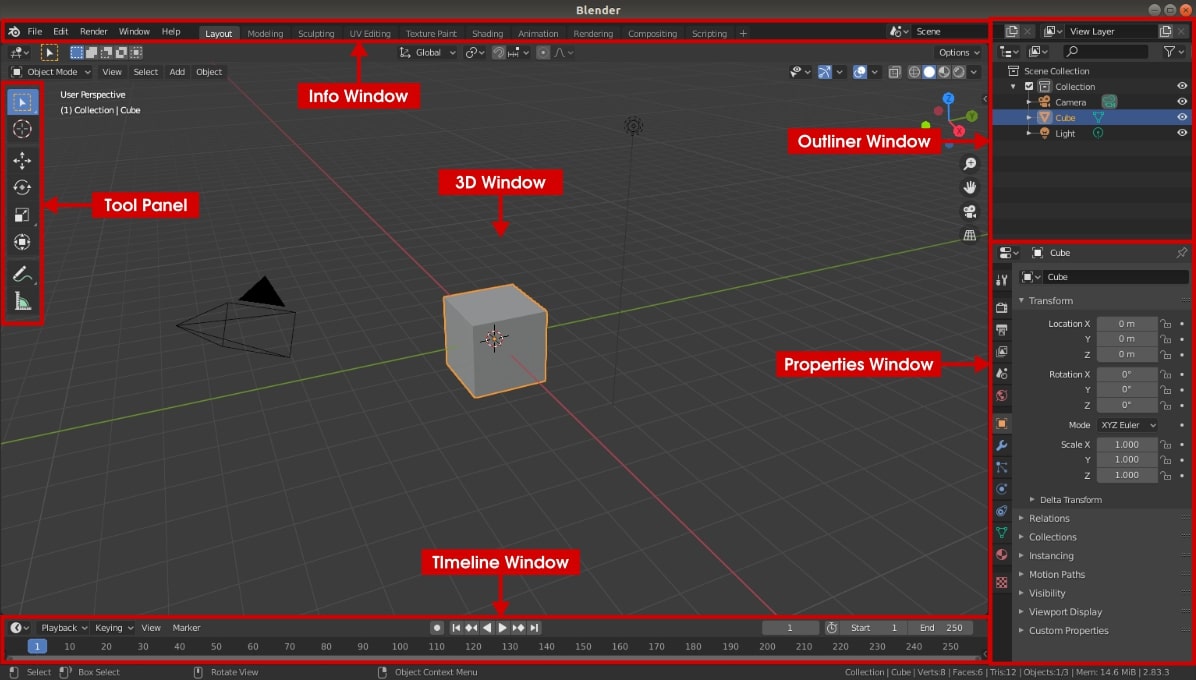
Beginner video for creating/moving 3D objects:
The Mode Menu is in the upper left.
Object Mode: for placing new objects and moving them around
Edit Mode: for changing objects. First, you click-and-drag to select the part of the object you want to change (points, edges, entire faces/planes), then switch to the Move Tool.
Some handy shortcut keys:
G — hold to move selected objects
R — hold to rotate selected objects
S — hold to rescale selected objects
A — select all
You can render a model — meaning that you can export an image separately from the Blender viewport.
First, set up your camera view:
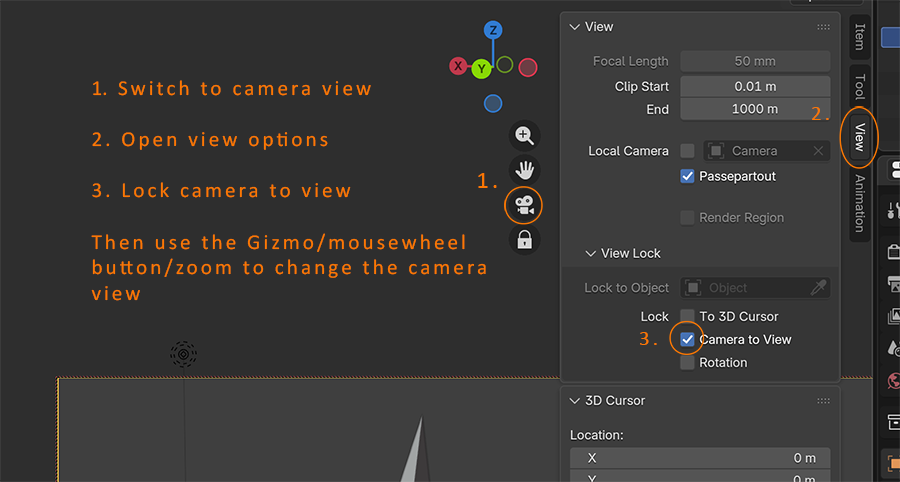
Then, Render >> Render Image.
Then, Image >> Save As