Meeting 8
MC: Ben
Tomorrow: Xavier
"Pending status"
This is different than "Pending enrollment" (you already took care of this).
This means that we are missing info/documents from you that we need to pay you.
Social security number: you can enter this in yourself, or have me help you.
Program Acknowledgement, Consent, and Release forms
(for parents/guardians)
These would have been sent to the adults already, but here are online copies:
PACR [PDF]
PACR (en Español) [PDF]
LVL2






Work session
You will have a progress presentation on April 1
Game Design offices
If you are a design team of 2 or more people, then let's make you official with your own webpage!
Send me:
- Team name
- Team slogan
- Decorative image/logo/mascot
- Background color (hex#)
- Text color (hex#)
LVL1
Twine
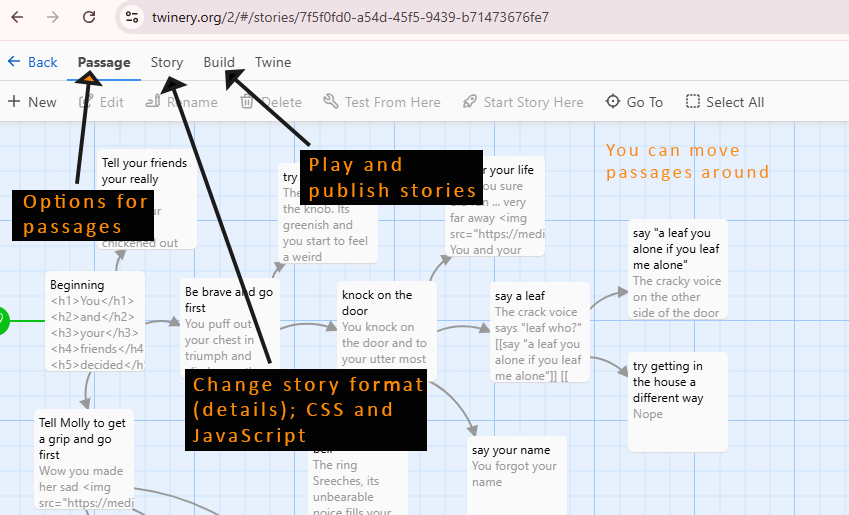
Recommended!
"Harlowe" is the default story format in Twine. Change it to "Sugarcube" just in case you would like to add advanced features (CSS, sound, Twine code).
In the top menu:
Twine >> Story Formats
Then select "SugarCube 2.37.3" and set it as the new default story format.
What to type in passages
Always give a passage a title. Keep it short.
You can type text into a passage, and you can also include HTML!
| <h1> </h1> | This creates the biggest header text |
| <h2> </h2> | This creates header text, but a bit smaller |
| <strong> </strong> | This will boldface text |
| <em> </em> | This will create italics |
To make a link to a new passage
Use: [[ ]]
Format: [[ desired text -> next passage title ]]
(Or: [[ desired text | next passage title ]] — same thing)
Adding images – hotlinking
You can copy the full URL (web address) of an image file on the web, and use it in your Twine passage.
Here is starter code to copy'n'paste:
<img src="">
<img src="paste the full URL here">
For example: if I search for Mario and find a picture in Google Images, I can view it and then right-click and Copy image address
This is the data on my clipboard after copying:
https://pngimg.com/uploads/mario/mario_PNG71.png
The I can write the HTML tag and paste in the url.
<img src="https://pngimg.com/uploads/mario/mario_PNG71.png">